

Why This Is No Longer a ‘Nice to Have’
You didn’t start a business to spend half your week managing emails, chasing invoices, and updating spreadsheets. But that’s where most business owners end up. A 2024 Slack/Salesforce survey of 2,000 US small business owners found that the average owner loses 1.5 productive hours every day to wasted time – with administrative tasks ranking as the second most frequently cited time drain, behind only non-work distractions.
That’s 7.5 hours per week. 390 hours per year. Nearly ten full working weeks lost to tasks that, in most cases, don’t require the business owner to do them personally.
A virtual assistant for business owners changes that equation. Not by adding another person to manage – but by removing the work that shouldn’t be on your plate in the first place.
DIRECT ANSWER
A virtual assistant (VA) is a remote professional who handles administrative, operational, and support tasks so that business owners can focus on revenue-generating work. In 2025, the global VA services market reached $19.5 billion and is projected to hit $55.4 billion by 2035 (Future Market Insights). For small and mid-sized businesses, a VA typically costs $500-$2,000/month – a fraction of a full-time hire – while handling email, scheduling, documentation, research, and more. This guide covers what a virtual assistant for business owners actually does, who needs one, what it costs, and how to make the handoff work.
What a Virtual Assistant for Business Owners Actually Does
The scope of VA work is broader than most owners expect. The 2026 VA Industry Report from Wishup found that administrative VAs hold the largest single market share at 31.5%, with admin and marketing tasks combined accounting for over 62% of all VA workloads. That reflects where businesses feel the most operational pressure.
A qualified VA working with a small or mid-sized business will typically handle some combination of:
- Email management: inbox triage, response drafting, flagging urgent items
- Calendar management: scheduling, confirmations, reminders, rescheduling
- Data entry and CRM updates: keeping systems current without your involvement
- Research: competitor analysis, supplier sourcing, briefing documents
- Document preparation: formatting, editing, proofreading, presentations
- Social media scheduling: content queuing, basic community management
- Customer follow-up: responding to enquiries, chasing outstanding items
- Internal documentation: process guides, SOPs, staff manuals
- Onboarding coordination: managing new hire paperwork and setup
- Travel and logistics: bookings, itineraries, expense tracking
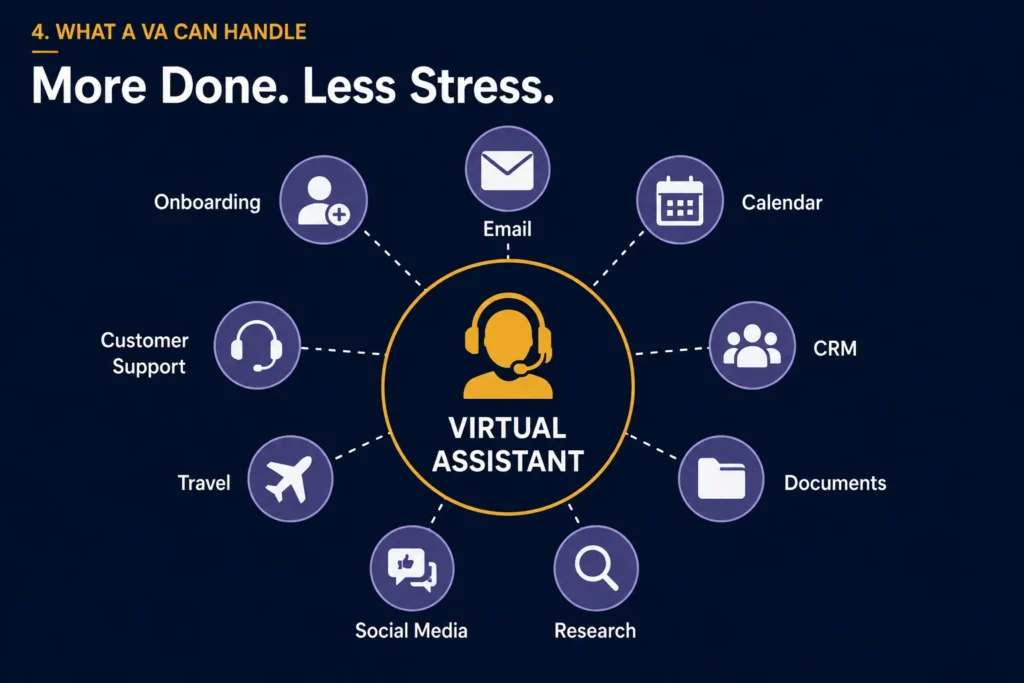
The common thread: these tasks are time-consuming, repeatable, and don’t require you personally. They require someone reliable to do them consistently.
The Real Cost of Doing Your Own Admin
Here’s a calculation most owners never run. A McKinsey Global Institute report found that knowledge workers spend an average of 9.3 hours per week searching for and gathering information alone. For business owners, the admin category is even broader.
Take your effective hourly rate and multiply it by the number of weekly hours you spend on admin, inbox, scheduling, and documentation. A founder worth $150/hour spending 10 hours a week on admin is losing $1,500 in productive value every single week – or $78,000 a year. A VA retainer to cover that same work typically costs between $600 and $2,000 per month.
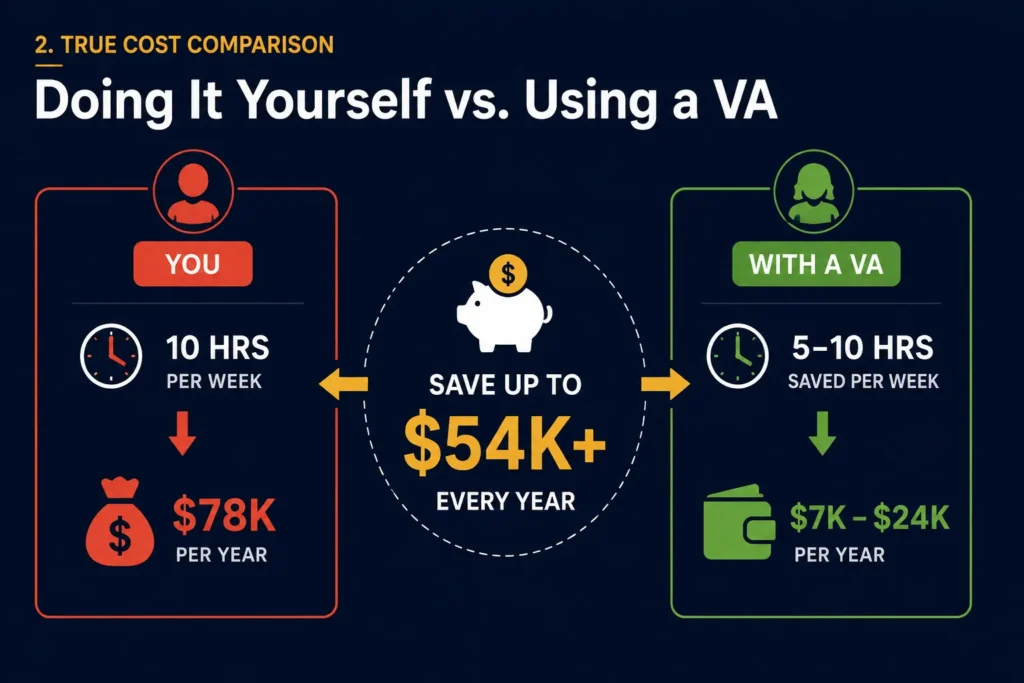
The gap between what admin costs you and what it costs to delegate is almost always significant. The question isn’t whether the ROI is there. The question is how long you wait to act on it.
| $19.5B | Global VA services market size in 2025 (Future Market Insights / Wishup 2026 Industry Report) |
| 41% | of all US small businesses now work with at least one virtual assistant (SQ Magazine, 2025) |
| 1.5hrs | Lost daily by the average small business owner to preventable time waste (Slack/Salesforce survey, 2024, n=2,000) |
| 31.5% | of VA market demand is for administrative support – the single largest category (Wishup 2026 VA Industry Report) |
| $55.4B | Projected global VA services market by 2035 – a 184% increase over the decade (Future Market Insights) |
Virtual Assistant vs. In-House Admin: The Numbers Side by Side
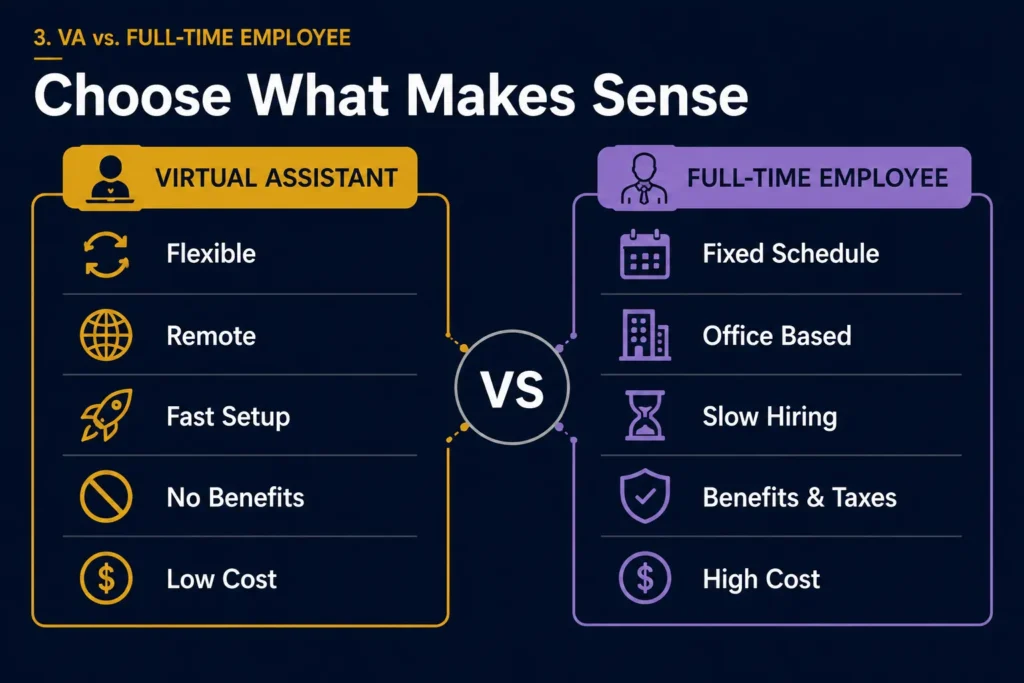
This is the comparison most business owners make first. Here’s what the data actually shows:
| Virtual Assistant | In-House Admin | |
| Monthly cost | $500-$2,000 (retainer) | $3,500-$6,000+ (salary + benefits) |
| Setup time | Days | Weeks to months |
| Flexibility | Scale up or down | Fixed commitment |
| Overhead | None | Office space, equipment, HR |
| Benefits/tax | None | 15-30% on top of salary |
| Coverage | Remote, often cross-timezone | Office hours only |
| Risk if not working | Cancel or adjust retainer | Lengthy exit process |
Neither option is inherently wrong. But for a business that needs reliable support without the overhead of a full hire, a VA delivers most of the output at a fraction of the cost. According to the 2025 VA Market Report from Future Market Insights, SMBs lead the VA client base with a 44.4% share in 2025 – confirming that small and mid-sized businesses are the primary adopters of this model.
Who Is Actually Ready for a Virtual Assistant?
Not every business is at the right stage. Hiring a VA before you’re ready creates more friction than it removes. Here’s how to read the signals.
Ready signals:
- Spending more than 2 hours a day on tasks someone else could handle
- Missing follow-ups, appointments, or deadlines because of overload
- Turning down work or opportunities due to lack of bandwidth
- Working evenings or weekends on non-revenue-generating tasks
- Repeatable tasks that follow the same steps every time
Not quite ready yet:
- No documented processes – everything lives in your head
- Every task requires real-time judgment that only you can provide
- Business revenue isn’t yet consistent enough to budget for support
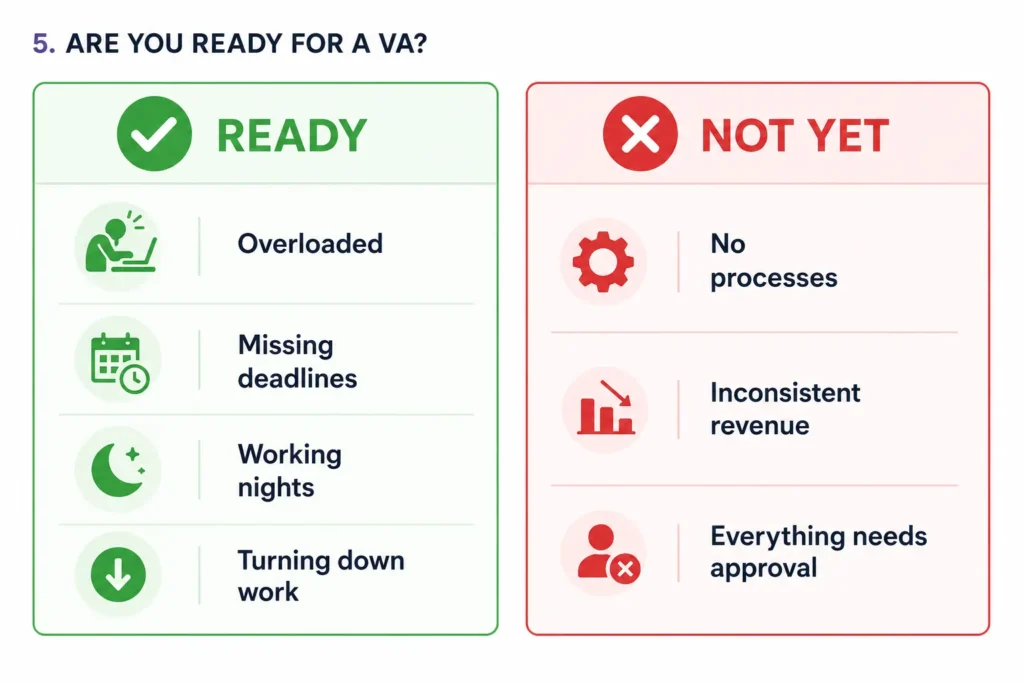
The sweet spot is a business with steady operations, a handful of repeatable tasks, and an owner who genuinely wants to stop doing them. Readiness is about having something worth handing off – not about size.
How to Make the Handoff Work – and Why Most Don’t
The most common reason VA arrangements fail has nothing to do with the VA. It’s the handoff. When business owners pass tasks without context, the VA can’t perform – and the owner concludes delegation doesn’t work. The truth is the system didn’t work.
1. Start with a task list, not a job description
Write the specific tasks you want to hand off. Not ‘manage communications’ – but ‘check inbox at 9am and 2pm, draft responses, flag anything that needs my input, file everything else.’ Specificity makes delegation possible.
2. Document one repeatable process per week
If a task follows the same steps every time, document those steps once. A VA with a clear process document can handle it independently from day one. Without one, they’ll ask you the same questions the work used to generate.
3. Agree a communication rhythm before day one
Daily updates, weekly summaries, or a shared task board – pick one approach and stick to it for 30 days. The first month is the investment period. After that, the return on that investment compounds every week.
What the First 30 Days Actually Look Like
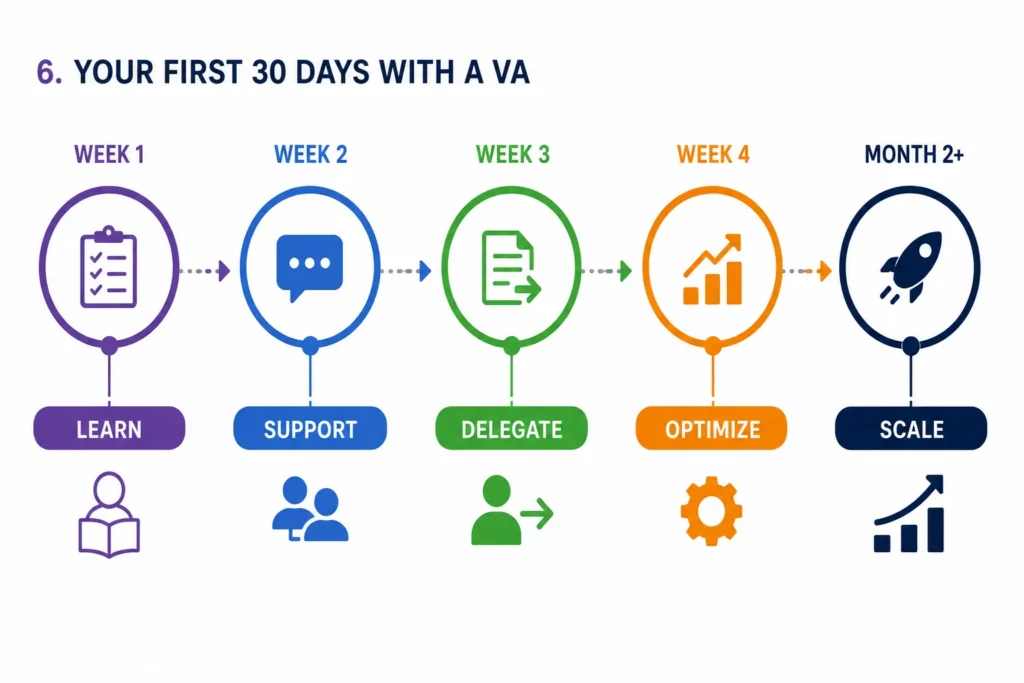
Weeks one and two: setup and orientation. The VA learns your systems, your preferences, your recurring tasks. Output is slower during this period. This is normal and expected – it’s the cost of the onboarding investment.
By week three: most recurring work runs independently. You’re reviewing, not doing. By week four: you should be able to measure the time you’ve reclaimed in your calendar.
The businesses that see the fastest return are the ones that resist the urge to take tasks back during the learning curve. Trust the process for 30 days before evaluating whether it’s working.
Frequently Asked Questions
How much does a virtual assistant for business owners cost?
VA retainers typically range from $500 to $2,000+ per month depending on hours, task complexity, and the level of specialisation required. Project-based work is priced separately. The global market average reflects a consistent finding: VA support costs significantly less than a part-time in-house hire when you factor in employer costs, benefits, office overhead, and equipment.
Is 41% of small businesses really using virtual assistants in 2025?
Yes, according to SQ Magazine’s 2025 Virtual Assistant Statistics report. The figure reflects the shift in how small businesses approach staffing – VAs have moved from a novelty to a mainstream operational decision, particularly in administrative support, marketing, and customer service functions.
What tasks should I never give a VA?
Strategic decisions, client relationships that depend on your personal involvement, and anything requiring licensed professional judgment – legal advice, medical decisions, financial recommendations – stay with you. Everything else is, in principle, delegable. The practical limit is usually documentation: if it can’t be written down as a process, it’s harder to hand off.
Can a VA work with care agencies specifically?
Yes, with the right background. Non-regulated administrative tasks in care settings – internal documentation, staff handbooks, onboarding coordination, scheduling support, digital presence management – are well within VA scope. The key is ensuring the VA understands the regulatory boundary and never crosses into regulated service territory.
How is a VA agency different from a freelance VA platform?
Freelance platforms give you access to individual contractors whose availability, reliability, and continuity vary. An agency provides a team – meaning your work isn’t dependent on one person, and you can access complementary capabilities (design, content, web) through a single engagement as your needs grow.
Ready to stop doing admin work that isn’t yours to do?
Book a free 15-minute call – no pitch, just a practical conversation about what a handoff could look like for your business.